Survival is currently available in Europe. North America is coming soon. Use /region to check the available choices or /region eu to find a safe spot in the European Overworld without changing your preference.
Useful Places
Use /spawn to return to spawn.
Use /nether or /end to look for a safe place in that dimension when it is available.
Protect your land so only you and trusted players can build and use protected blocks.
Create a Claim
Use /claim tool to get a free Golden Shovel, available once per hour, or craft one yourself. Right-click two opposite corners. You can also stand at each corner and use /claim pos1 and /claim pos2.
Check the preview, then click Claim and choose a name, or use /claim create <name>. Use /claim cancel to clear the selection.
Claims protect the full height of the world. Use /limits to check your claim slots and Claimblocks, including your rank and Plus allowance.
Golden ShovelCrafting Table · Makes 1
→
1 × Gold Ingot · 2 × Stick
Transfer Claimblocks
Use /claimblocks transfer <player> <amount> to give free Claimblocks to another online player, including someone on another server. /claimblock transfer <player> <amount> works too. Press Tab to complete command words and online names.
Enter a positive whole number. Blocks used by claims or reserved by Land Deeds cannot be given away. Both balances change together, and the full amount must fit under the recipient's rank ceiling.
If a transfer cannot be confirmed, check both balances before trying again.
Trust Players
Stand inside your claim and use /trust <player> to give access. /untrust <player> removes it. /temptrust <player> gives access until that player leaves the network.
Only trust people you know. Visitors can enter, but do not have normal build or container access.
Manage Your Land
Open /claims to select a claim and see its actions. Use /claim rename <old> <new> to rename it.
Select new corners and use /claim resize <name> to preview a resize. /claim delete <name> asks for confirmation. Deleting removes protection and may return the land to nature, including nearby unclaimed land outside its border. Move anything you want to keep first.
Click a claim with a normal stick to see its owner and border.
Land Deeds
Use /claim deed <name> to turn eligible land into a tradeable deed. This removes its protection. Shift-right-click the deed to inspect the land; right-click to claim it before expiry. You need enough available capacity and must be on its original server.
Deeds expire 30 days after creation, so check the remaining time before buying or trading one. You can inspect each deed once every two hours.
Offline Time and Claim Expiration
Your claims expire after 60 consecutive days offline from the network. Playing on the live network keeps them active. Switching servers does not count as logging out. Returning and later logging out starts a new 60-day period. Each new claim has at least 60 days of protection, and existing claims receive the same minimum period when this rule is introduced.
If the network cannot confirm that you are offline, your claim stays protected. Ask JrAdmin or higher staff before a long absence: they can add days to a claim's expiration date with /claim extend <days> while standing in it. Extensions apply to that claim and remain saved through restarts. A later normal expiration date still takes precedence.
Nature Restoration
Deleting a claim, or letting it expire, removes its protection and schedules nature restoration 7 days later. Expired Land Deeds are scheduled for restoration without that extra delay. Restoration replaces eligible whole chunks, including land outside the former claim border, so builds and terrain there may disappear. Any chunk touching an active claim is skipped entirely.
Players, other entities and filled containers can prevent restoration. The seven-day date is when land becomes eligible, rather than a promise that every chunk will reset at that exact time. Staff extensions protect an existing claim; they cannot bring back land after its claim has already expired.
Guest Options
Open /claims, select your claim and click Manage Claim. Use the guest switches to allow or prevent visitors dropping items, picking up items or collecting XP.
Reefwalker and higher ranks can change these options on their own claims. Trusted players keep their normal access.
The Store also lists a separate Claim Flags unlock. Standalone purchases are coming soon.
Fly in Your Claims
Paradise and higher ranks include claim flight. You can also buy Fly in Your Claims separately.
Use /fly to switch it on or off inside Survival claims you own. Leaving your claim turns flight off. Being trusted in someone else's claim does not grant flight.
Save favourite places and travel to other players.
Save a Home
Stand where you want to save your home and use /sethome beach. Using the same name again moves that home to your current location.
Use /home beach to return, or choose it in /homes. /delhome beach removes it. You can also rename and delete homes through the menu.
Use /limits to check your available Home slots. Ranks and active Plus subscriptions increase your Home allowance; personal bonus slots stay yours.
Visit a Player
Use /tpa <player> to ask to visit someone. /tpahere <player> asks them to visit you.
Click Accept or Deny in chat, or use /tpaccept [player] and /tpdeny [player]. /tpacancel [player] cancels your request. /tptoggle turns new requests on or off.
Other Travel
/spawn returns to this server's spawn.
/back returns to your saved location before a teleport or death.
/rtp finds a random safe place in your current Survival dimension.
/rtp world, /rtp nether and /rtp end select a dimension.
Paradise unlocks biome selection. Use /rtp <world|nether|end> <biome>, for example /rtp nether crimson_forest. Press Tab after the dimension to see its biomes.
Use /rtp cancel while RTP is searching to stay where you are.
A biome search can take up to 30 seconds. If it finds a risky landing but no safe one, click YES to teleport there or NO to stay put.
/nether and /end use random travel in those dimensions.
Spots are public places that other players can visit.
Visit a Spot
Use /spots to browse. Select a place and use its teleport button, or use /spot <name>.
Create Your Own
Stand at your destination and use /createspot <name>. Choose a clear name so others know what they will find.
Use /limits to check your available Spot slots. Hold a Spot Slot Token and right-click to add a permanent slot.
Ranks and active Plus subscriptions also give you more room for Spots.
Use /delspot <name> to remove your Spot. You can also manage it through the menu.
Advertise a Spot
Featured positions appear on the first page. Select an available position to see its price and duration before buying. You can also use /spots advertise <position> <spot>.
Place Waystones to travel between fixed points on the same server.
Make a Waystone
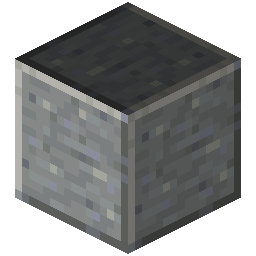
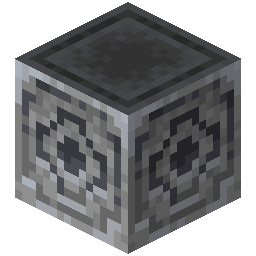
Craft a Waystone with six Polished Andesite and one Lodestone.
Place it with two blocks of clear space, then choose its name and access.
WaystoneCrafting Table · Makes 1
→
6 × Polished Andesite · 1 × Lodestone
Choose Who Can Visit
Yes: anyone may use it.
No: only you may use it.
Trusted claim members: players trusted in the claim may use it.
Travel and Manage
Right-click a Waystone and choose a destination. Use the Own, Public or All filter to find it. You do not need to place your own Waystone before visiting a public one.
Sneak-right-click your own Waystone to rename it or change access. Mine either half with a pickaxe to pick it up. Claim protection still applies.
More Space
Use /limits to check your Waystone capacity. Right-click a Waystone Slot Token to add one permanent slot. Removing a placed Waystone frees its used slot.
Ranks and active Plus subscriptions also increase your Waystone allowance.
Connect Birch Drawers to a Computer to store, find and move your items in one place.
Build a Network
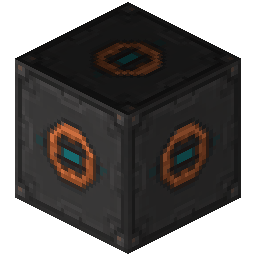
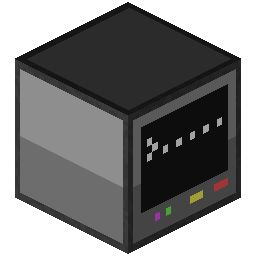
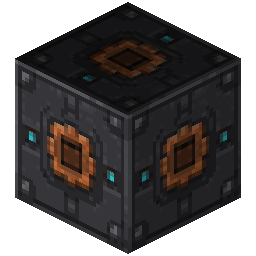
Place a Computer and connect it to Birch Drawers with Connector Boxes. The path can turn, split or go up and down. Each Drawer must touch a connected box.
You can add more Computers or build separate networks. Removing a connection hides that part from the Computer until you reconnect it.
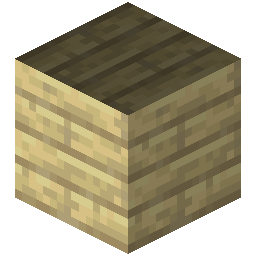
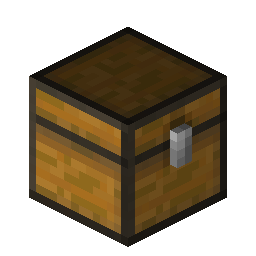
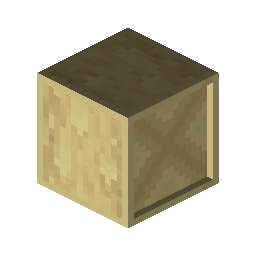
Craft one Birch Drawer with eight Birch Planks around a Chest. Other wood types do not work.
Craft the parts below, or find them in the crafting table's recipe book.
Right-click the Computer to browse, search, store items or take them out. Hover over an item to see the available amounts and controls.
Right-click a connected Drawer with matching items to store them. Sneak-right-click it to change its filter and upgrades. An empty Drawer can be assigned a different item.
Add Storage Space
A Drawer starts with room for 64 items and has seven upgrade slots.
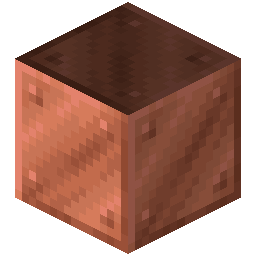
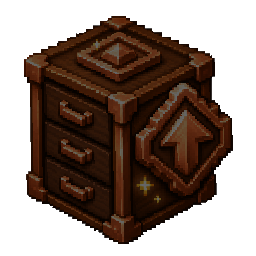
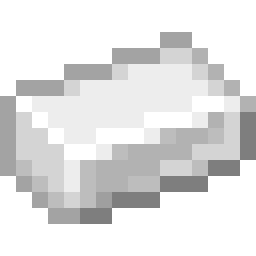
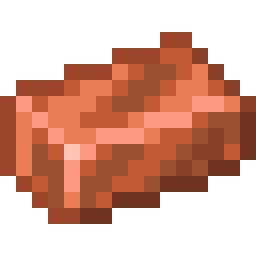
Bronze adds 64 items.
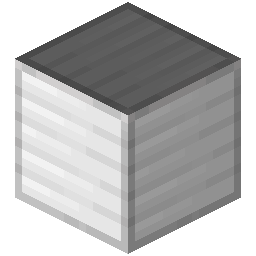
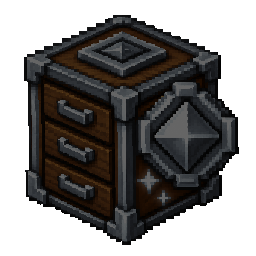
Iron adds 128 items.
Gold adds 256 items.
Obsidian adds 576 items.
Pearl gives unlimited room in that Drawer.
Only Bronze and Iron upgrades currently have crafting recipes.
Break a linked Drawer normally. Its dropped item keeps its contents, filter and upgrades. Place it again to restore them, including on the other server.
Claim access still applies. For a shop-connected Computer, read Player Shops.
Useful tools and commands make everyday jobs easier. Premium commands need the matching rank or a separate feature purchase where available in the Store.
You can win the special tools below from the Island Crate, or trade them with other players. Preview the crate to see its current contents.
Handy Commands
/loc shows your coordinates; /ping shows your connection delay.
/distance start and /distance end measure between two points.
/solve <expression> works as a calculator.
/signedit edits the sign you are looking at.
/note opens your notebook. Press Done to save; /note close discards it.
/bottledexp <levels|all> stores XP in one throwable bottle.
Premium Workstations and Sorting
You can use ordinary placed workstations and Ender Chests without a premium rank. The rank requirements below apply to portable commands, which open the same menus without placing or visiting a block. /enderchest opens your personal Ender Chest wherever you are.
These features unlock with the ranks below. /enderchest is also sold separately.
Adventurer:/loom and /cartographytable.
Castaway:/workbench, /stonecutter and /enderchest.
Explorer:/grindstone and /smithingtable.
Reefwalker:/anvil, /sort and /sortchest. /condense makes storage blocks; /uncondense reverses it.
Treasure:/autopouch browses items in your bundles. Lumberjack fells a tree with one axe chop; switch it on or off in Settings → Gameplay.
Higher ranks include the earlier ranks' commands. Sorting can also be switched on or off in Settings once you have access.
Inventory sorting runs automatically; chest sorting runs when you open a chest. /autopouch lets you click items to move them between your bundles and inventory.
Auto Replant
Reefwalker and higher ranks can switch Auto Replant on or off in /settings. Harvest a fully grown crop with a hoe and keep matching seeds or crops in your inventory for replanting.
It works with Wheat, Carrots, Potatoes, Beetroot and Nether Wart. Replanting uses one matching seed or crop and wears your hoe.
Equipment and Tools
Explorer includes /repair hand, Reefwalker adds /repair armor, and Paradise adds /repair all. Without that rank access, repairs use a matching stored Repair Token.
Paint Brushes recolour supported blocks, Grappling Hooks help you travel, and Jump Pads launch you. Read each item's instructions and remaining uses before using it.
Death Protection
Treasure and higher ranks include Inventory Insurance for Life, which keeps your items when you die. Use /insurance to check your cover or the time left on temporary cover.
Paradise also includes Exp Insurance for Life, which keeps your XP when you die. World and game mode exclusions apply to both benefits.
Using Special Tools
To load a Paint Brush, open your own inventory, pick up ordinary dye on your cursor and left-click the brush. It holds up to 64 dye of one colour. Loading a different colour returns the unused old dye. Keep space for it in your inventory.
Hold the loaded brush and right-click a supported block to paint it. Each successful change costs one dye. Finite brushes also spend one use. Sneak-left-click while holding it to unload the dye.
Cast a Grappling Hook at a solid block within 35 blocks. When it hits, it moves you to a safe landing where you may build. Only a successful move spends a use.
Chunk Hoppers collect dropped items in their own chunk. Breaking one returns its contents and the Hopper itself.
Anti-Trampling Boots protect farmland while you wear them.
Jump Pads launch you and protect you from fall damage on your first landing. Later falls can hurt normally.
Speed Boats are placed and driven like ordinary boats, but travel faster.
Elevators
Put [elevator] on the first line of two signs, one above the other. Left-click a sign to go up or right-click to go down. Leave a clear, safe place to stand at each end.
Other Premium Commands
The ranks below unlock these commands.
Adventurer:/hat wears the item in your hand.
Castaway:/feed restores hunger; /head [player] gives a known player's head, or your own if you leave out the name.
Explorer:/heal restores health, /nightvision toggles night vision, and /pweather <clear|rain|reset> changes the weather you see.
Reefwalker:/rename <name> renames your held item using colours you own. /rename reset removes the custom name.
Treasure:/ascend and /descend move you to the next safe space above or below.
The Store also sells /feed, /heal, /nightvision, /pweather and /rename as permanent standalone unlocks. /enderchest is available separately too.
Gifts
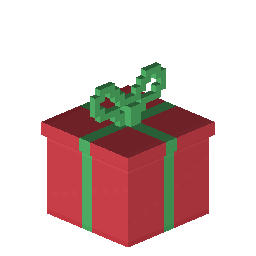
Craft a Gift Box with String above matching Wool.
Place a Gift Box, right-click it with the stack you want to wrap, then write and sign its message. /present give <player> sends the finished present. Open it and use the green Done action on the last page to unpack it.
Red Gift BoxCrafting Table · Makes 1
→
1 × String · 1 × Red Wool
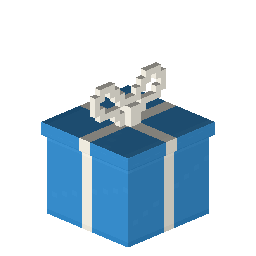
Blue Gift BoxCrafting Table · Makes 1
→
1 × String · 1 × Blue Wool
Yellow Gift BoxCrafting Table · Makes 1
→
1 × String · 1 × Yellow Wool
Personal Loot
Newly generated natural loot sources give each player their own loot.
Lumberjack is also available as a permanent Store feature for €17.99 or 1,799 Pearls. It remains included with Treasure and higher ranks.
Use /lumberjack to toggle Lumberjack on or off. It uses the same saved choice as Settings > Gameplay.
Start Lumberjack from any trunk or branch log. Remaining wood in its natural canopy is included, and the leaves decay immediately with normal drops and no extra axe wear.
Check your available room before creating more homes, claims, shops or listings.
Check Your Limits
Use /limits to see total, used and available capacity. It groups land, locations and trading features.
Your total includes starting room, earned slots and your active rank allowance. Removing a home, claim or listing frees its used slot.
Separate allowances cover claims, Homes, Spots, Waystones, active player shops, display pillars, virtual shop offers and auction listings.
Ranks and Plus
A permanent rank includes the earlier ranks' features and its own fixed allowances. A standalone Store feature permanently unlocks its named command or option for your account.
Plus is a monthly subscription for its matching permanent rank. Its higher allowances apply while Plus is active; they are not added again each month. See the Store's rank comparison for each rank's totals.
Ranks also give a one-time Claimblock bonus. Upgrading adds only the difference from rank bonuses already received. Plus adds its Claimblock bonus with each paid month, up to your current Claimblock ceiling.
Add a Slot
Hold the matching Slot Token and right-click. One token adds one permanent personal slot for its feature. You can trade the physical item before using it.
You can win Slot Tokens from the Island Crate or trade unused tokens with other players. Check the token's name before using it.
Rank Changes
Earned slots stay yours. If a rank or Plus allowance ends, existing places and listings remain, but you may need to free space before creating more.
Claimblocks have a separate rank ceiling. Playtime adds Claimblocks while there is room below it. Use /claimblocks transfer <player> <amount> to give available Claimblocks to another online player. Claim and Land Deed reservations stay protected; the whole amount must fit under the recipient's ceiling. See Claims for both command spellings and transfer details.
Repair Tokens
Repair Tokens are stored uses, rather than slots. Use /tokens to check them and /repair to spend a matching use. Nothing is spent when no repair is needed.
Hand, Armour and All Repair Tokens can also come from the Island Crate. Hold one in your main hand and right-click to store it for later.
Adventurer and Castaway packages include Repair Tokens. Their Plus packages add tokens with each paid month; the Store shows the quantities for each package.
Check your balances and send payments to other players.
Your Currencies
Use /wallet for an overview, or /money, /pearls, /shells and /tickets for one balance.
Coins support two decimal places. Pearls, Shells and Tickets use whole numbers. Only coins and Pearls can be sent with payment commands.
Pay Someone
Use /pay Alex 12.50 to send coins, or /pay Alex 2 pearls to send Pearls. Check the name and amount first. Known offline players can receive payments too.
Use a dot or comma for decimals in coin amounts. Do not use thousands separators.
Cheques
Use /cheque <amount> to turn coins into a single-use item. Give or trade it to someone, then hold it in the main hand and right-click to redeem it.
Buy ordinary items from the server and sell items you no longer need.
Buy Items
Open /shop, choose a category and select an item. Its detail panel shows the price and quantity. Add it to your basket, then open the basket and confirm checkout.
The plus and minus buttons change quantities; Shift changes them faster. If you cannot afford checkout, your basket stays open. Leaving the server clears the basket.
Sell Items
Open /sell, select stacks from your inventory and check the total before confirming. Items stay in your inventory until the sale finishes.
The server does not buy every item. Modified or custom items do not automatically sell at the price of the ordinary item they look like. Authentic fishing catches use their recorded value.
The server shop refuses diamond armour and tools bought from villagers, even after you repair them, remove their enchantments or upgrade them to netherite.
Check Shop Prices
Hold an item in your main hand and use /worth to see what one item costs to buy and what the server shop pays for it. A dash means that price is unavailable.
Collect Overflow
Items that could not fit can wait in your mailbox. Make room, close other menus and use /overflow, or click Collect in the reminder.
Collect again if more stacks remain. Items waiting there survive logout and restarts.
Sell your own items through a Shop Pillar or a storage-connected shop.
Shop Pillars
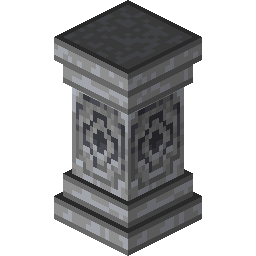
Place a Shop Pillar in your own claim. Hold the item you want to sell, look at the pillar and use /playershop create <price>. The price is for one item.
Hold matching stock and Shift-right-click to refill it, or use /playershop stock. A pillar holds up to 64 identical items. /playershop price <price> changes the price.
Right-click to open its shop. Left-clicking the floating display buys up to a normal stack. Pillars only sell items to customers.
Use /playershop remove before breaking a configured pillar. Remaining stock goes to /overflow.
Virtual Shops
Connect a Computer to storage with Connector Boxes and attach a unique Shop Module directly behind, below or above it. Build the setup in your own claim.
Right-click the Computer, choose a free offer slot and select an item from storage. Enter its price in private chat. You can also set a price for buying matching items from customers, or choose off.
Virtual shops can sell, buy, or do both. Exact item details must match, and equipment must have full durability. A full storage network cannot accept more stock.
Connected pillars can refill from storage. Sneak-right-click your shop Computer to open its storage.
Use /playershop to browse and /playershop own for your offers. Use /limits to check shop, pillar and offer space.
Ranks and active Plus subscriptions set separate allowances for active shops, display pillars and virtual offers. Personal bonus slots are extra; see Limits & Tokens.
Trade items, coins, Pearls and crate keys with other players on the network. Cross-region trading will be available when North America opens.
Start a Trade
Use /trade <player>. The other player has 30 seconds to click Accept or Deny, or use /trade accept <player> and /trade deny <player>.
Make Your Offer
Open the item view and click inventory stacks to offer them. Click an offered stack to remove it. Items stay in your inventory until the final handover.
Use the digital controls to choose coins, Pearls or keys, set an amount and add it. You can inspect supported containers before agreeing.
Finish or Cancel
Read both offers and lock yours. When both players lock, a five-second countdown begins. Any offer change unlocks both sides.
Close the screen or use /trade cancel while the trade is still open. Once handover starts, it cannot be cancelled. Items that do not fit go to /overflow.
Requests
Use Settings to turn trade requests off. /ignore <player> also blocks supported requests from that player.
Buy and sell items or supported digital goods through /auction.
Buy or Bid
Browse, search or filter listings, then open one to check its seller, price and remaining time.
Buy-now listings have a fixed price. Bidding listings go to the highest bidder; hybrid listings allow both. You cannot buy your own listing or place two consecutive highest bids.
Your bid stays held while you lead and becomes available again when you are outbid. Check the shown minimum increase and closing rules before bidding.
Create a Listing
Use /auction create, select your item and choose its type, price and duration. Review the tax before confirming.
You can also list your held stack with /auction sell buy <price> [hours], /auction sell bid <start> [hours] or /auction sell hybrid <start> <buyout> [hours].
Cancel your own listing through its detail screen while it has no bids. /auction history opens your sales history.
Slots and Delivery
Use /limits to check available listing slots. An Auction Slot Token adds a permanent personal slot.
Ranks and active Plus subscriptions also increase the number of listings you can have open at once.
Purchased or returned goods wait in your mailbox. Use /overflow when you have room.
Discord
Available auction posts also have buy and bid buttons. Link your Discord account with /dclink first. The same auction rules apply, and goods still go to your mailbox.
Invest your in-game coins in a fictional market shared across the network.
Start Investing
Use /stocks, choose a category and open an asset. Check its price, then choose how much to buy or sell.
Open /stocks portfolio to see your holdings and profit or loss. Prices keep moving while you are offline.
What Can You Buy?
Stocks, Crypto, Penny Stocks and Commodities can be bought and sold at changing prices. Larger swings can mean larger gains or losses.
Bonds lock coins until their end date. They usually pay it back with interest, but sometimes return only part of what you invested. You cannot sell them early.
Futures let you choose Long or Short with leverage. Long gains when the price rises; Short gains when it falls. A large move against you can lose your full margin.
Useful Commands
/stocks price <symbol> checks a price.
/stocks buy <symbol> <amount> buys units; max uses your available coins.
/stocks sell <symbol> <amount> sells units; all sells your holding.
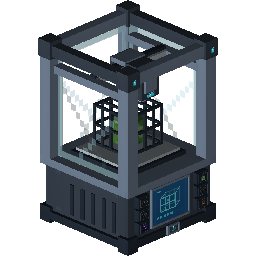
Right-click the machine with an empty hand. Add one DNA Sample, Motor, Power Cell, matching Heater or Cooler, Drop Filter and Processor. Check the preview, then press Assemble.
The machine remembers stored parts when you close it. Breaking the machine returns its stored parts.
Find DNA and Parts
Kill naturally spawned mobs for a chance to find their DNA Sample. Mobs from natural spawners can drop DNA too; mobs from player-built spawners cannot.
Wither Skeletons do not drop DNA. Their spawners are inactive and cannot be built, placed or won from the Spawners Crate. You can still take apart one you already own.
The Spawners Crate also contains DNA and components. You can trade parts with other players or take apart a Spawner you have collected. Components do not have crafting recipes.
What the Parts Do
DNA chooses the mob.
Motor improves spawning speed.
Power Cell improves speed and drops.
Heater or Cooler must suit the mob and improves speed and drops.
Drop Filter improves loot output.
Processor completes the build, without an extra production bonus.
Motors, Power Cells, Heaters, Coolers and Filters come in Normal, Uncommon, Rare, Epic and Legendary qualities. Each step up improves production. The preview shows speed, drops and their combined total; 170% drops means 1.7 times the normal drops.
Place and Stack
Place the Spawner where you may build. It works while a player is nearby. Right-click it with another Spawner of the same mob to stack them. Breaking a stack returns one saved Spawner at a time.
Each Spawner keeps its own parts, even in a stack. To change a fitted part, right-click the placed Spawner with a compatible replacement component.
Natural Spawners
Use a Silk Touch pickaxe to collect one spawner item from each natural spawner you find. The block stays in place so other players can each collect one too. If you try the same spawner again, a chat message tells you that you have already collected it and that other players still can.
Your item keeps the original mob and includes matching DNA, a suitable Heater or Cooler and randomly rolled parts. Wither Skeleton spawners cannot be collected this way.
Place one to use it, or take it apart in an Assembly Machine for its components. Picking it up and placing it again keeps the same parts; it does not reroll them.
Take Parts Out
Open a machine with an assembled Spawner in hand, or select one from your inventory. Each removed part has a 5% chance to destroy the Spawner and parts still inside.
Closing an incomplete disassembly restores the original build and takes the returned parts back. Removing every part uses up the empty Spawner.
Keep returned parts until you finish taking the Spawner apart. If parts or the finished Spawner cannot fit in your inventory, check /overflow.
Capture mobs in capsules, then carry, trade or release them.
Get a Capsule
You can win capsules from the Island Crate or trade them with other players. Preview the crate to see which types are available.
Choose a Capsule
Containment: common animals and other supported peaceful mobs.
Reinforced: also supports stronger hostile mobs.
Herd: reusable storage for up to 64 animals of one type.
Containment and Reinforced Capsules each come in Single-use and Reusable versions. A single-use capsule disappears after release; a reusable one becomes empty so you can use it again.
Players, bosses and certain mobs such as Villagers, Iron Golems and Wardens cannot be captured.
Capture and Release
Hold a capsule in your main hand and right-click a supported mob. It keeps details such as the mob's name, health and equipment. A Herd Capsule can keep collecting the same type of animal until full.
Right-click with a filled capsule to release it into a clear space where you may build and spawn mobs.
For Herd Capsules, sneak-right-click to release the most recently captured animal. Sneaking prevents a Herd Capsule from capturing.
Share Your Catch
Filled capsules can be given or traded. A Herd Capsule must be emptied before it can hold a different mob type.
Place a minion to help with real jobs around your base.
Get a Minion
You can win all six minion types from the Island Crate. Left-click the crate to preview its rewards, then open it with a matching key.
Six Helpers
Miner: mines nearby eligible blocks.
Farmer: harvests mature crops and replants with supplies.
Hunter: attacks hostile mobs with its sword.
Lumberjack: cuts logs and replants using saplings.
Fisher: fishes in nearby water.
Collector: picks up dropped items.
Place and Manage
Hold your minion item and right-click solid ground to place it. Right-click the minion for information. You can only place your own minions, on their original server.
Look at your minion from within six blocks to use these commands:
/crew pause, /crew resume and /crew rotate control its work.
/crew take picks it up with its level, tool and stored items.
Use /crew list to find your minions. Left-click or sneak-right-click also picks one up when you have room.
Working Conditions
Minions need allowed work nearby, loaded chunks, usable equipment and storage space. They can work while you are offline, but do not keep chunks loaded or catch up on missed work.
Higher-level minions work faster and store more. You cannot buy upgrades.
Use a digital key to open a crate and win one reward.
Keys and Preview
Use /keys to check your keys. Each crate needs its own type; keys do not take inventory space. Supported keys can be exchanged through Trading.
Left-click a crate block to preview its current rewards. Browsing costs nothing.
Open a Crate
Right-click the crate with a matching key. Choose the required number of rewards from each rarity. Click a chosen reward again to remove it.
Once you have chosen enough rewards, the roll starts and one key is used. One of your selected rewards wins at random.
Pausing saves your choices before the roll.
Quick Open
Use Quick Open, the third button at the bottom, to fill any remaining choices at random and start the roll straight away. It uses one matching key.
Claim Your Winner
Click Claim when the roll finishes. Extra items wait in /overflow when your inventory is full.
The winner is fixed when the roll starts. Closing or disconnecting does not reroll it or return the key. After reconnecting, click a crate to collect a saved unclaimed winner.
Talk across the network, send private messages or leave someone mail.
Chat Channels
Use /channel list to see your channels. /channel global selects public chat. Settings can keep Global visible while you use another channel.
Type @ and press Tab to mention an online player. Click a player's name in chat to open their profile.
Messages and Mail
Use /msg <player> <message> for a private message and /r <message> to reply. Account names and supported nicknames work across the network.
Use /mail send <player> <message> to leave a message for someone who is away. /mail opens your mailbox. Use the green arrow to read a message or its red cross to delete it.
/ignore <player> hides or restores that player's chat and private messages, and blocks supported mail and trade requests. /ignore list shows your list.
Share an Item
Type [item], [offhand], [slot1] to [slot9], or [inventory] in chat. Others can inspect a preview; nothing is given away.
Nicknames
Reefwalker and higher ranks include /nick <name>. You can also buy the Nickname feature separately.
Use /nick reset to return to your account name. Your nickname follows the name colour and bold setting you choose in Style.
Chat Activities
Follow chat-game prompts and answer in Global on the same server. /coinflip <player> [amount] invites someone on your server to a coinflip for fun or with a coin stake. Check the stake before accepting.
Use Settings for language, mentions, requests and notifications.
Open /friends or use /friends send <player> to send a request. Accept or deny in chat, in the menu, or with /friends accept <player> and /friends deny <player>.
Click a friend to view their profile. /friends remove <player> removes the friendship. Known offline players can receive requests.
You can have 50 friends. Requests expire after 72 hours. Shared activities can grow your friendship through Friend, Mate, Buddy and Bestie.
Grow Your Friendship
Sending your friend a private message adds 1 point, teleporting to one another adds 2, and a completed trade adds 3. Each activity can add points once per minute for that friendship.
You become Mates at 10 total points, Buddies at 25 and Besties at 50. Both players share the same progress.
Show a little about yourself and visit other players' profiles.
Open a Profile
Use /profile for yours or /profile <player> for someone else. You can also right-click a player with an empty hand or click their name in chat.
Make It Yours
Choose Edit Status and type a short line in chat. It may have up to 64 characters. Type cancel to keep your current status.
Choose Backgrounds to pick a free day or night scene. Your selected background appears when others visit.
Friends and Shells
Your profile links to Friends, Style and Settings. On another player's profile you can send a friend request or give a Shell, when those actions are available to you.
You can give each player one Shell per day. You cannot give one to yourself. Shells are added to the recipient's balance.
Choose your tags, colours and Glow through /style.
Tags and Colours
Open Tags, choose a category and select an unlocked tag. Right-click your active tag to choose its colour.
Name Style changes your name colour or gradient. Chat Colour changes your messages. These are separate choices; changing one keeps the others.
Locked choices need an unlock. Hold a matching physical unlock item and right-click to redeem it. Owning a tag or colour lets you select it again later.
Paradise and higher ranks include all tags and all name, tag and chat colours.
Bold Name and Tag
Treasure and higher ranks include Bold Chat Name and Bold Tag Name. Open Name Style in /style to switch Bold Name and Bold Tag on or off, or use Identity in /settings.
Your name and selected tag have separate switches. Your message text has its own Bold Text setting.
Separate Bold Chat Name and Bold Tag Name purchases are coming soon in the Store.
Glow
Open Glow to choose an available solid colour or animated colour sequence. Use Turn Off Glow to remove your selection.
Join and Quit Messages
Use /joinmessage list and /quitmessage list to see your unlocked choices. /joinmessage <id> or /quitmessage <id> selects one; clear turns it off.
The two collections are separate. These messages appear when you join or leave the network; switching servers does not trigger them.
Special Items
A Randomiser reveals a random cosmetic unlock item. Redeem or trade that item afterwards. A Tag Unredeemer can turn an eligible personally owned tag back into a tradeable unlock; confirm the selected tag before converting it.
Tag Unredeemers cannot be used with Paradise or Paradise+.
Your rank icon is separate from your personal tag.
Open /settings, or use the Options button in a menu. Choose a section on the right, then click a setting to switch it on or off or open its menu. Use the arrows to see more settings.
Your choices are saved across the network. Some options need a rank or unlock before you can change them.
Communication
Choose whether to receive Global chat, allow mentions, use Autocorrect or write in bold.
Language and Timezone open their own menus. You can also use /language and /timezone. Your language applies only to player chat and supported plugin messages in chat. Menus, custom item names, lore, previews, dialogs, action bars, titles and other interface text stay in English.
Identity
Name Colour and Chat Colour open their colour menus. Bold Name and Bold Tag have separate switches. Visit Style for tags and Glow.
Treasure and higher ranks include both bold options.
Gameplay
Switch inventory sorting, chest sorting and Auto Replant on or off. Preferred Survival Region offers the currently available choices. Europe is live. North America is coming soon.
Sorting and Auto Replant are included from Reefwalker. Treasure and higher also include Lumberjack: fell a tree with one axe chop. Toggle it in Settings → Gameplay. Read Tools & Items for how they work.
Requests
Choose whether to accept teleport, trade, friend and mail requests. These switches control the requests themselves.
HUD Notifications
Notifications have separate switches for each type, such as whispers, mail and received payments. Turning one off hides that notice; it does not stop the payment, message or request itself.
Use /noticeboard clear to clear your current notices. /afk marks you away; ordinary activity makes you active again. Press Tab for the network player list.
Lumberjack is also available as a permanent Store feature for €17.99 or 1,799 Pearls. It remains included with Treasure and higher ranks.
Use /lumberjack to toggle Lumberjack on or off. It uses the same saved choice as Settings > Gameplay.
Start Lumberjack from any trunk or branch log. Remaining wood in its natural canopy is included, and the leaves decay immediately with normal drops and no extra axe wear.





 4